
IPSEC VPN Mac
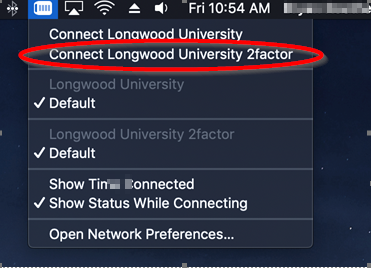
The configuration for the new VPN has already been pushed to your laptop and you should now have Longwood University 2factor as a second VPN option (image below).
Upon logging in to the two-factor VPN, an authorization push will be sent to the device that you have registered in the Duo Management Portal. Upon accepting that authorization, you will be connected to the new VPN. The new VPN will function exactly like the VPN you have always used.